Feature Request Tracking: A System for Collecting and Prioritizing Requests

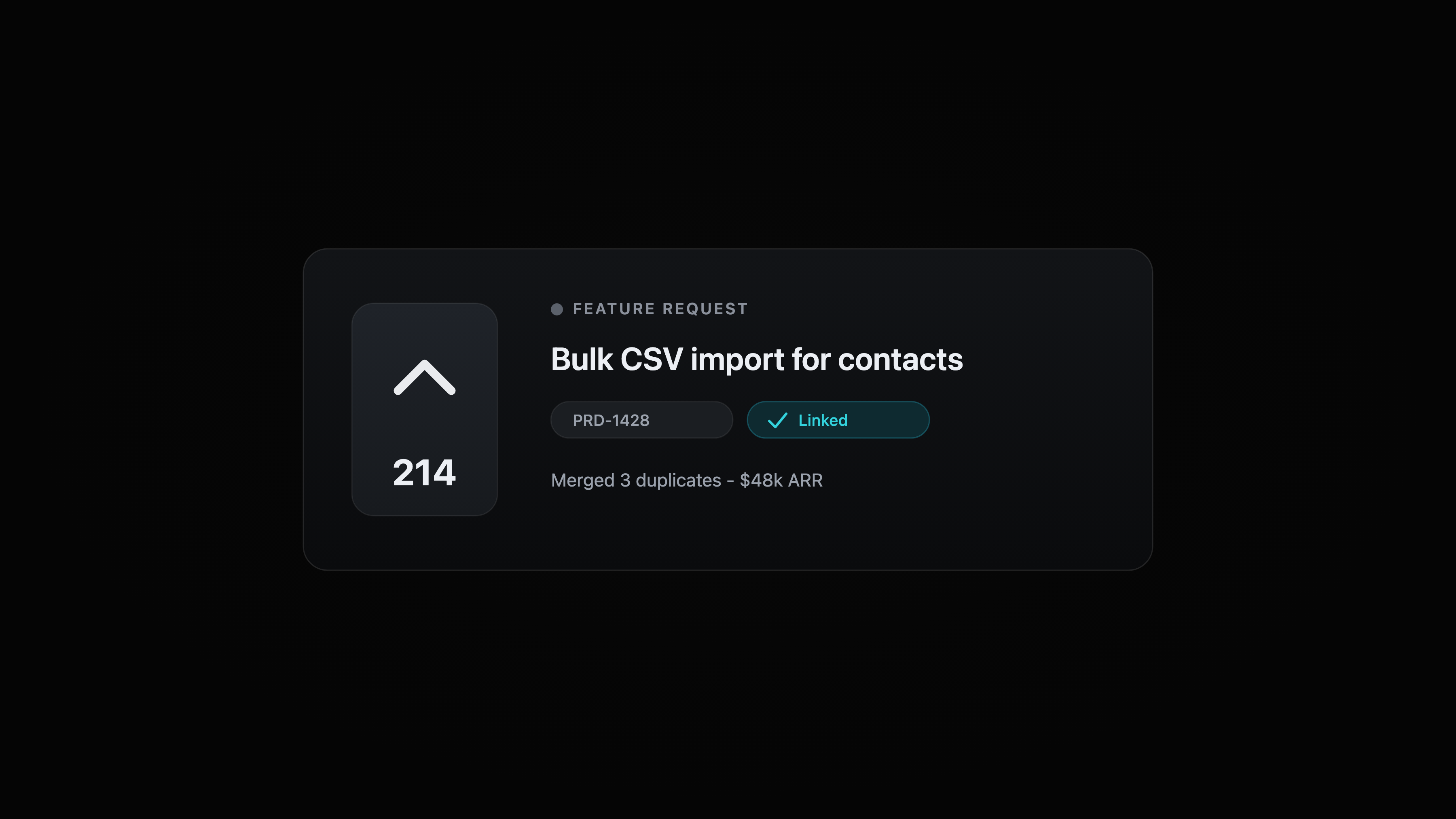
Feature request tracking is the system that takes the things customers ask for, from every channel, and turns them into prioritized, traceable product work. A spreadsheet and a Slack channel hold for the first hundred requests, then they fall apart: requests get logged twice, the account that asked gets lost, and nobody hears back when you ship. The fix is a five-step loop: capture everywhere, dedupe and merge, attach the requesting account and its revenue, prioritize with a framework you trust, and close the loop when it ships. This guide walks through that loop step by step, covers RICE and value vs effort, and shows how Productlane runs it with a public feedback portal, Linear issues, and a changelog in one tool.
Every product team starts feature request tracking the same way. A teammate drops a customer ask in Slack, someone copies it into a spreadsheet, and for a while that works. The trouble starts when the volume crosses a few hundred requests, the spreadsheet has columns nobody fills in, and three people have each logged the same idea under slightly different names. By then the spreadsheet is a graveyard, not a system.
Feature request tracking done well is a loop, not a list. It pulls every request into one place, collapses the duplicates, ties each request to the account that asked and the revenue behind it, ranks the backlog with a method the whole team trusts, and tells the customer when their idea ships. This article lays out that loop as a numbered system you can adopt this week, the prioritization frameworks worth knowing, and the Productlane workflow that runs all of it in one tool.
What feature request tracking actually is
Feature request tracking is the process of collecting, organizing, and prioritizing the changes customers and your team want in the product, then keeping each request connected to the work that delivers it. A "feature request" here is broad: a net-new capability, a tweak to an existing flow, an integration, a quality-of-life improvement. What unites them is that someone wants something the product doesn't do yet, and you need a reliable way to decide whether and when to build it.
Good tracking answers four questions at any moment. What has been asked for? How often, and by whom? Which requests are worth building next? And what happened to the request after the customer sent it? A system that answers all four turns scattered customer signal into a ranked product backlog. A system that answers none of them is a spreadsheet you stopped opening.
The point of feature request tracking is not to log everything. It is to make better decisions about what to build, and to prove to customers that their input changed the product. Those two outcomes, sharper prioritization and a visible feedback loop, are the reason the system is worth building at all.
Why the spreadsheet and the Slack channel give out
A spreadsheet plus a #feature-requests channel is the default starter stack for a reason: it costs nothing and everyone already knows how to use it. It works right up until the product has real traction, and then four predictable cracks open up.
Duplicates pile up
The same idea arrives from five customers in three different words. In a spreadsheet, each lands as its own row, so a request asked for by fifty accounts looks like fifty unrelated one-offs. You lose the single most useful signal in the whole dataset: how many people want the same thing.
The requesting account disappears
A row that reads "add SSO" tells you nothing about whether the company asking pays you $200 a month or $200,000 a year. Without the account and its revenue attached, every request looks equally important, which means none of them are.
The loop never closes
The request goes into the sheet, the customer hears nothing, and three months later you ship the exact thing they asked for without ever telling them. The goodwill you could have earned evaporates, and the customer learns that sending feedback is a dead end.
It lives apart from where you build
Engineering plans and ships in an issue tracker. When the request list sits in a separate spreadsheet, someone has to copy the chosen items across by hand, and the moment that happens the two systems start drifting. The spreadsheet says "planned," the issue shipped last week, and nobody updated the row.
A five-step system for feature request tracking
Strong feature request tracking runs as a repeatable loop. Each step feeds the next, and the last step feeds back to the customer who started it. Here is the system, step by step.
- Capture from every channel. Requests arrive through email, an in-app widget, Slack, sales calls, a public board, and your support inbox. Pipe all of them into one place. A request your team forgot to log is a request you can never prioritize, so make capture the cheapest possible action: a keystroke from the inbox, a one-line form in the portal, a forward from email. The goal is that no signal dies in a DM.
- Dedupe and merge. Once requests land in one place, collapse the ones that mean the same thing into a single entry, and keep a running count of how many accounts asked. This is the step that turns noise into a ranked signal. Fifty merged requests for the same integration are a clear priority; fifty separate rows are a mess. Merge aggressively, and keep the original wording attached so you can still read what each customer actually said.
- Attach the account and its revenue. Link each request to the company that asked, and pull in what that company pays you. Now the backlog can answer the question that actually drives roadmap decisions: not "how many people want this," but "how much revenue is asking for this, and how much is at risk if we don't build it." A request from one enterprise account on a renewal can outweigh twenty from free users.
- Prioritize with a framework. Rank the merged, revenue-tagged requests using a method the whole team understands. RICE and value vs effort are the two most common, and we cover both below. The framework matters less than using one consistently, because a shared method is what stops the loudest voice in the room from deciding the roadmap.
- Close the loop when it ships. When you build a request, tell everyone who asked. Update the request status, post it to your changelog, and reply to the customers who originally requested it. This is the step most teams skip, and it is the one that compounds: customers who see their feedback ship send more of it, and better feedback makes every future prioritization decision sharper.
Run that loop continuously and feature request tracking stops being a chore you dread and becomes the engine that points your roadmap at the work customers will actually pay for. For the customer-facing half of this loop, our guide to building a public product roadmap goes deeper on how to share status without committing to dates.
Prioritizing requests: RICE and value vs effort
Step four of the system needs a method. Two frameworks cover almost every team. Pick the one your team will actually run every week, since a framework applied consistently beats a more sophisticated one applied once and abandoned.
RICE
RICE scores each request on four factors and combines them into one number. Reach is how many users the change touches in a given period. Impact is how much it moves the needle for each of them, usually on a fixed scale. Confidence is how sure you are about the first two, expressed as a percentage. Effort is the work to build it, in person-weeks. The score is reach times impact times confidence, divided by effort. RICE shines when you have enough data to estimate reach honestly and you want a defensible, sortable ranking across a large backlog.
Value vs effort
Value vs effort plots each request on two axes: how much value it delivers against how much work it takes. The top-left quadrant, high value and low effort, is where you start. It is faster to run than RICE and needs no training, which makes it the better fit for smaller teams and earlier-stage products that lack the data to score reach with a straight face. The trade-off is that "value" stays subjective, so anchor it to something concrete like the revenue you attached in step three.
Whichever you choose, the revenue and request-count data from steps two and three are what make the scores honest. A prioritization framework fed by guesses produces a confident-looking ranking of guesses. Feature request tracking earns its keep by feeding the framework real numbers: how many accounts asked, and how much they pay.
How feature request tracking works in Productlane
Productlane runs the whole loop in one tool, with Linear as the spine. The advantage that pulls the most weight is automatic duplicate detection: with Linear triage, a new request that restates an existing issue is merged for you, so the backlog stays consolidated and upvotes land on one canonical issue. Here is how each step of the system maps to the product.
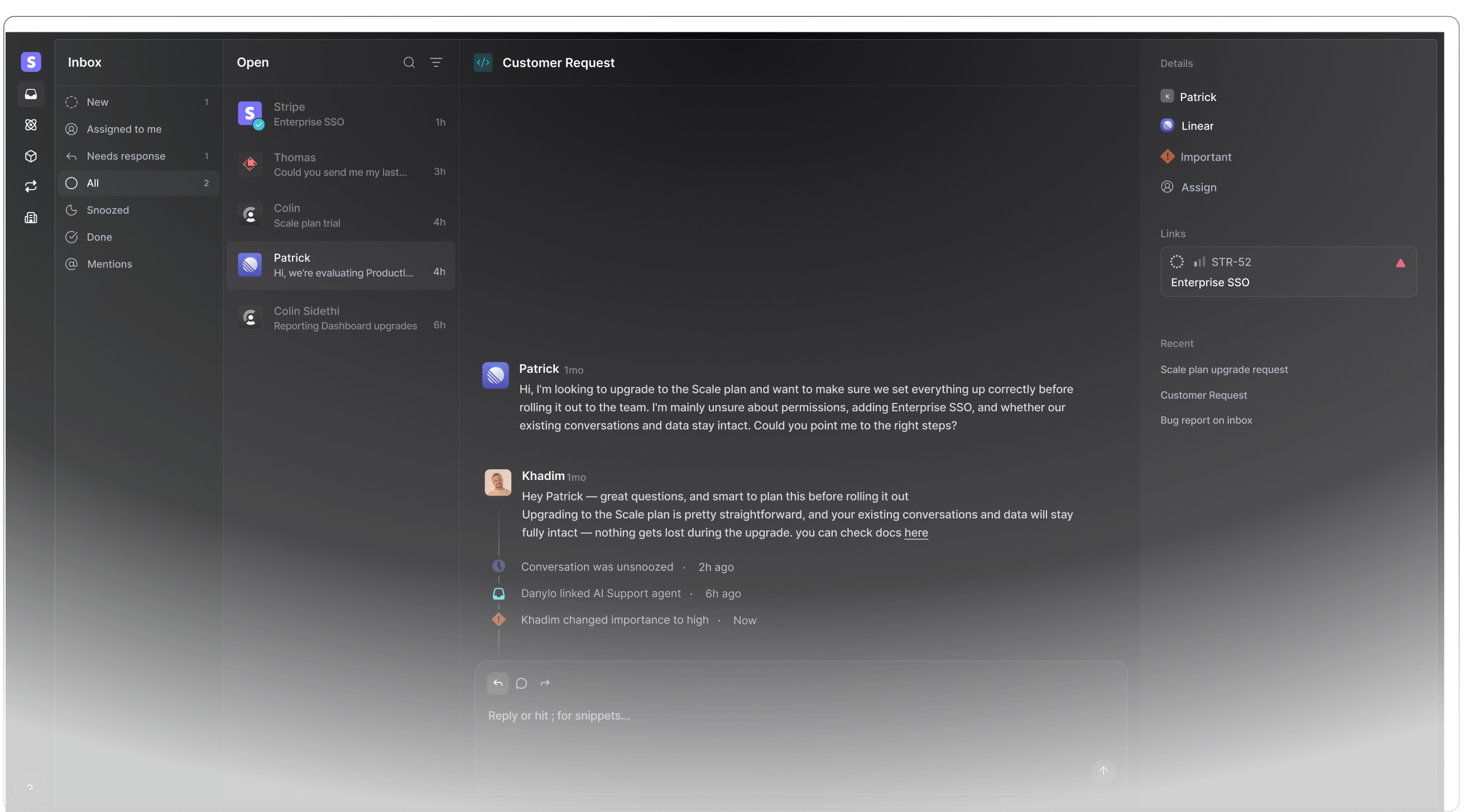
A feature request in Productlane, with upvotes, the requesting accounts, and the live Linear issue attached on the right.
Capture from every channel into one inbox
Email, Slack, the in-app widget (available in 47 languages), and your public feedback portal all land in the same inbox. A teammate can turn any conversation into a tracked request in a keystroke, and customers can post directly to the portal. The inbox runs on the Zero sync engine, so it stays under 100ms even on large workspaces, which matters when capture has to feel instant or people skip it.
Automatic duplicate detection through Linear triage
With Linear triage, Productlane spots when a new request restates an existing issue and merges the two automatically, so requests consolidate without anyone grooming the backlog by hand. Upvotes and the requesting accounts accrue to the single canonical issue, which keeps the demand signal accurate as volume grows. On top of that, the public feedback portal lets customers upvote an existing request instead of filing a fresh one, collapsing duplicates at the source before they reach your team.
Attach the account and tie requests to Linear issues
Each request carries the account that asked and the revenue behind it, so prioritization is grounded in money, not volume. When you decide to build something, the request ties to a Linear issue bidirectionally: status, assignees, and comments stay in sync, so your engineers never leave Linear and your product team never loses the customer context. The AI agent can even file a properly scoped Linear issue straight from a conversation.
Close the loop with the changelog
When the linked Linear issue ships, Productlane writes a first draft of the closing reply for the customers who requested it, and the same shipped work feeds your changelog and the self-updating, customer-facing help center. The customer who asked for the feature hears that it landed, on your own domain, while the AI agent handles roughly one in three conversations on its own at about $0.79 per resolution. That is the loop closing itself.
Tools for feature request tracking
The market splits into a few shapes. Standalone feedback boards like Canny center on public upvoting and roadmaps but sit apart from where you build, so the request-to-issue handoff stays manual. Project trackers like Linear or Jira hold the engineering work but lack a customer-facing capture surface. General-purpose tools like Notion or a spreadsheet flex to anything and track nothing well at scale.
Productlane folds capture, dedupe, prioritization, and the close-the-loop changelog into one tool tied to Linear, which removes the manual handoff that breaks the other shapes. If you want a broader survey of the category, our roundup of customer feedback tools groups the options by what they do, and our look at Canny alternatives covers the feedback-board category specifically. To learn what kinds of requests you should be soliciting in the first place, see our guide to customer feedback surveys.
Frequently asked questions
Feature request tracking is the process of collecting feature requests from every channel, organizing and deduplicating them, tying each to the account and revenue behind it, prioritizing the backlog with a framework, and telling customers when their request ships. Done well it runs as a continuous loop that turns scattered customer signal into a ranked product backlog.
A spreadsheet logs duplicate requests as separate rows, so it hides how many accounts want the same thing. It rarely carries the requesting account or its revenue, so every request looks equally important. It sits apart from where engineering builds, so the two drift out of sync. And it gives you no way to tell customers when you ship, so the feedback loop never closes.
Use a consistent framework. RICE scores each request on reach, impact, confidence, and effort, and is best when you have data to estimate reach. Value vs effort plots value against work and is faster for smaller teams. Either way, feed the framework real numbers from your tracking: how many accounts asked and how much revenue is behind each request.
When the request ships, update its status, post it to your changelog, and reply to every customer who asked for it. In Productlane, when the linked Linear issue moves to done, the closing reply is drafted for you and the shipped work feeds the changelog and help center, so the loop closes while your team stays focused on the next build.
A public feedback portal with upvoting helps in two ways: customers upvote existing requests instead of filing duplicates, and the vote count becomes a demand signal for prioritization. It also shows customers their input is visible. Keep sensitive or competitive requests private; make the rest public so you get the deduplication and the demand signal.
Productlane captures requests from email, Slack, an in-app widget, and a public feedback portal into one inbox. Using Linear triage, it detects when a new request duplicates an existing issue and merges them automatically, attaches the requesting account and its revenue, ties each request to a Linear issue bidirectionally, and drafts the closing reply plus a changelog entry when the issue ships. Plans begin at $29 per seat each month on the annual plan.
Feature request tracking is the input: the system that collects, merges, and prioritizes what customers ask for. A roadmap is one output: the prioritized view of what you plan to build and when. Tracking feeds the roadmap, and a public roadmap closes part of the loop by showing customers where their requests stand.
Build the loop, not the list
Feature request tracking is worth doing when it runs as a loop: capture everywhere, dedupe and merge, attach the account and its revenue, prioritize with a framework, and close the loop when you ship. The spreadsheet handles the first hundred requests; the loop handles the next ten thousand and keeps pointing your roadmap at the work customers will pay for.
Productlane runs that loop in one tool. Requests flow in from email, Slack, an in-app widget, and a public feedback portal with upvoting; each ties to a Linear issue; and the changelog closes the loop the moment the issue ships. Your engineers stay in Linear, your customers see their requests move, and nobody copies rows between systems by hand.
You can try Productlane for free, see pricing (plans start at $29 per seat each month on the annual plan), or set up a public feedback portal and a support portal on your own domain.